> ## Documentation Index
> Fetch the complete documentation index at: https://radarlabs-boon-update-faq-question-marks.mintlify.site/llms.txt
> Use this file to discover all available pages before exploring further.
# Census
The Census integration is available on the [**Enterprise plan**](https://radar.com/pricing).
With [Census](http://www.getcensus.com), Radar can sync locations stored in a data warehouse as geofences in Radar, powered by the [geofence upsert API](/api#upsert-a-geofence).
Census supports syncing data from all major data warehouses, including Amazon Athena and Redshift, Snowflake, Azure Synapse, and Google BigQuery.
## Configuration
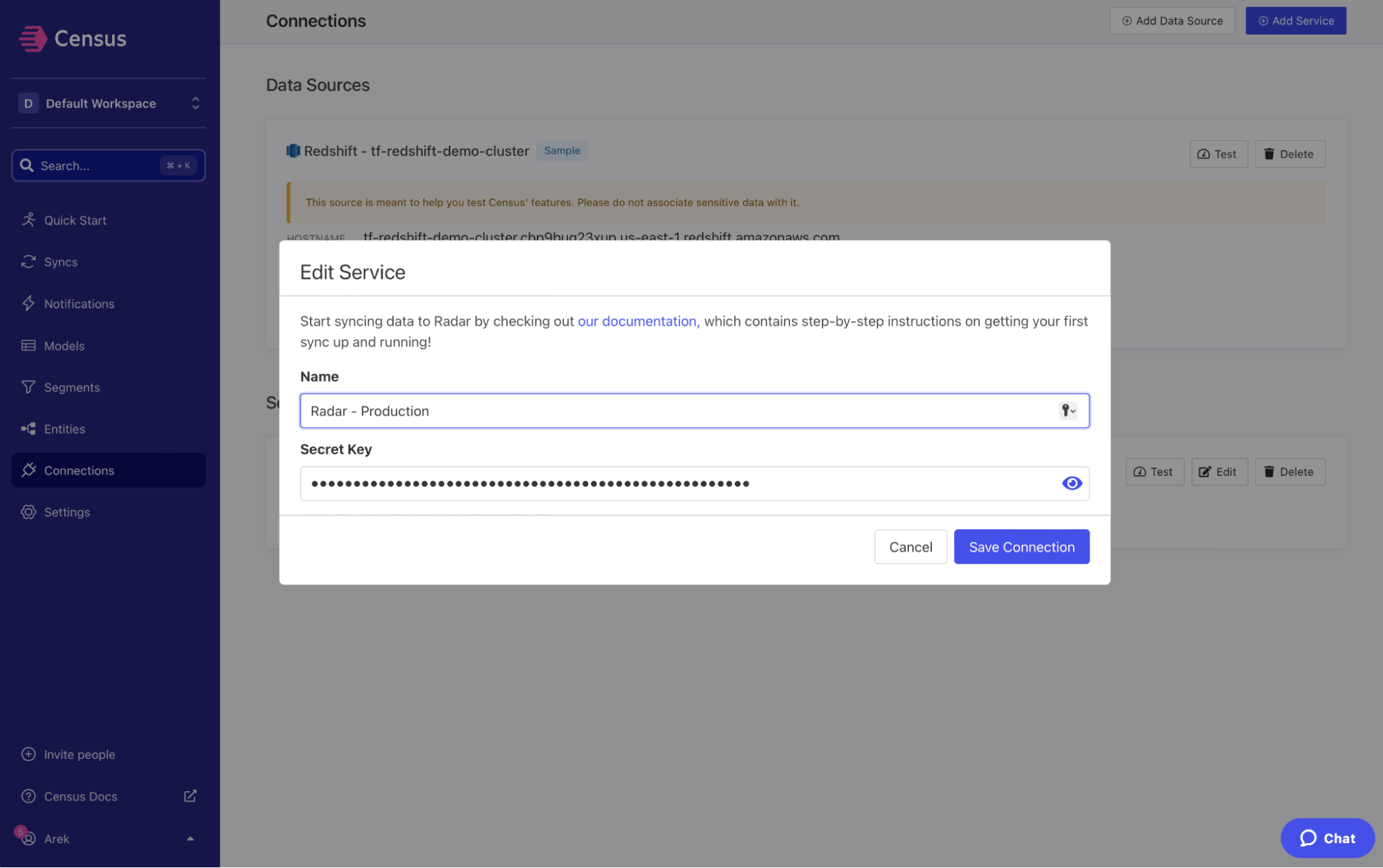
First, in [Census](http://www.getcensus.com), add Radar as a service. Copy and paste your secret key from the Radar [dashboard](https://dashboard.radar.com). When naming the service, include a reference for the environment, `test` or `live`, that corresponds to the API key being used.
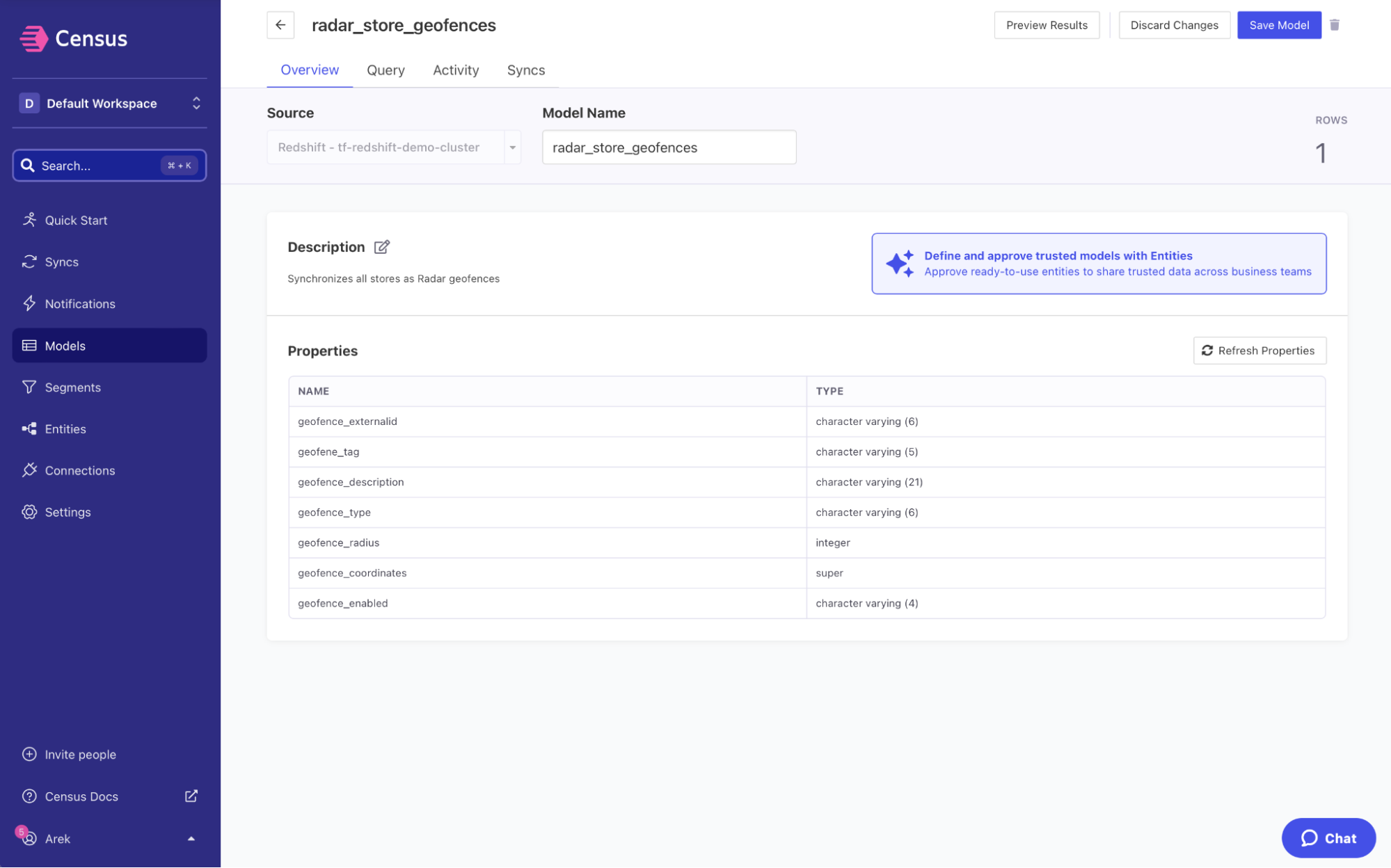
 Second, create a data model and connect your data warehouse as a source.
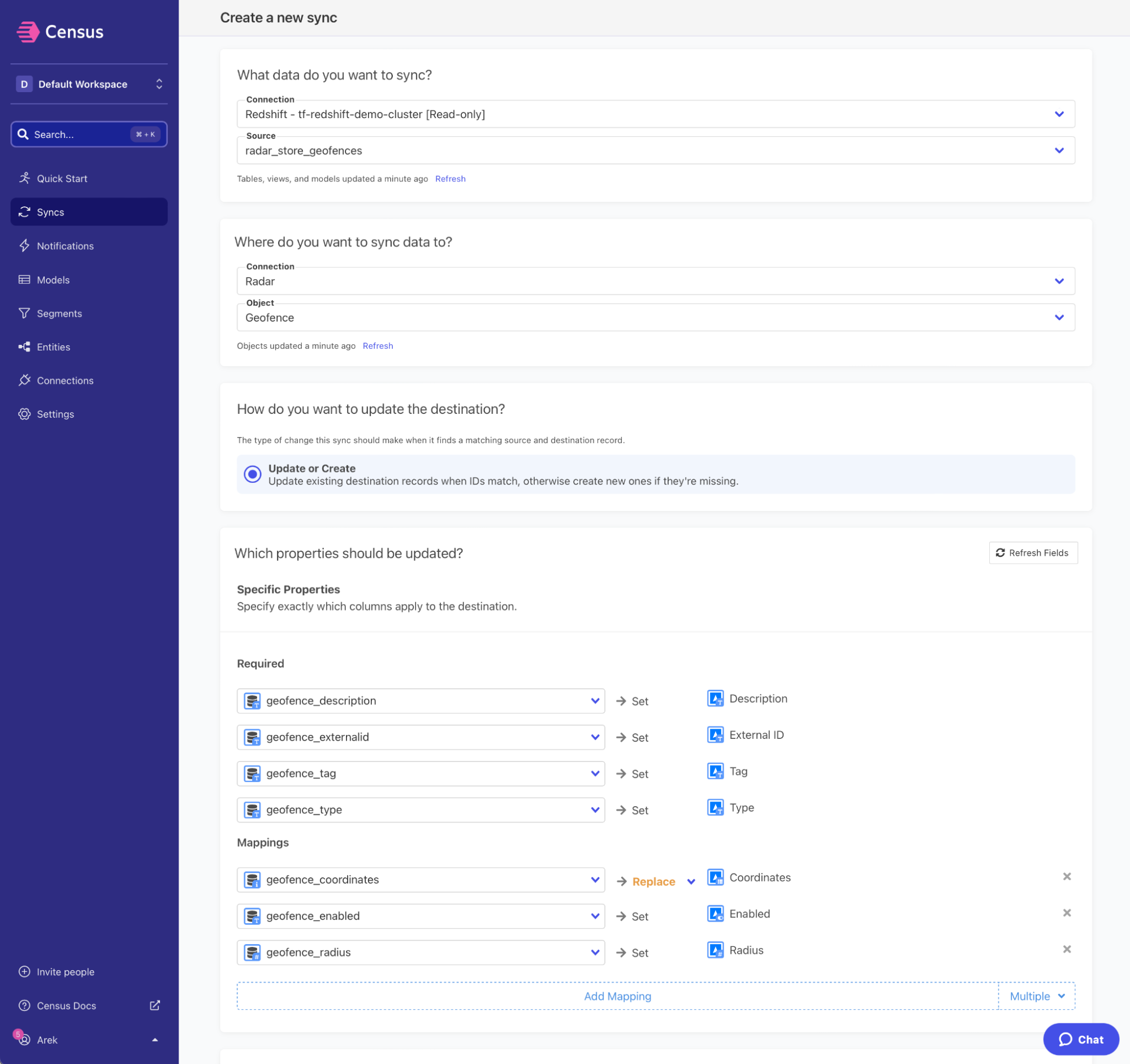
 Third, create a sync and map properties from the data model to [Radar geofence attributes](/geofencing/geofences#create-geofences) like `description`, `tag`, `externalId`, `type`, and `radius`.
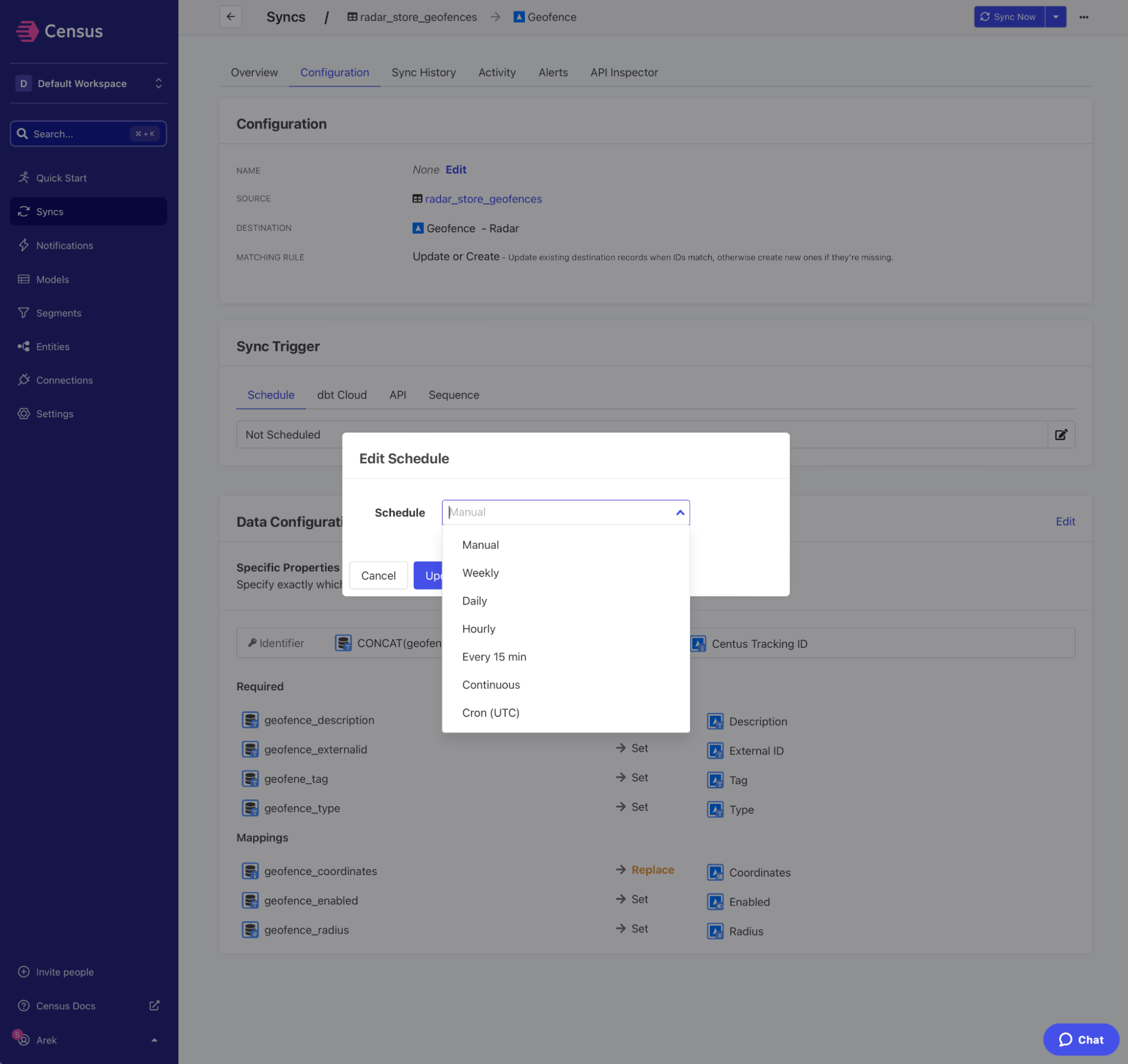
 Finally, schedule your sync.
 For more information, visit the [Census docs](https://www.getcensus.com/integrations/radar).